
Import and export
Speaks P6, MS Project and Excel. Available
| Format | Import | Export |
|---|---|---|
| P6 Professional standalone database (SQLite) | ✓ | ✓ |
| XER | ✓ | ✓ |
| P6 XML (PMXML), including custom fields, quantities, early and late dates and stable GUIDs | ✓ | ✓ |
| MS Project XML (MSPDI) | ✓ | ✓ |
| Excel (XLSX): code assignments, field updates, code definitions, EPS, new projects and activity fragments | ✓ | ✓ |
| CSV, Power BI flat file, PDF and Word reports | No | ✓ |
| Full workspace copy | No | ✓ |
An import report
Every import comes with a report of each part of the file and what happened to it, including anything that was not carried over.
Multi-project files
Imported as a group, with the logic between projects kept.
Checked exports
An integrity check runs before export and lists anything that needs attention. Files are prepared the way P6 imports them.
Back to P6
Exports carry dates, float, remaining values and constraints in XER, P6 XML or the P6 database.
SchX and P6
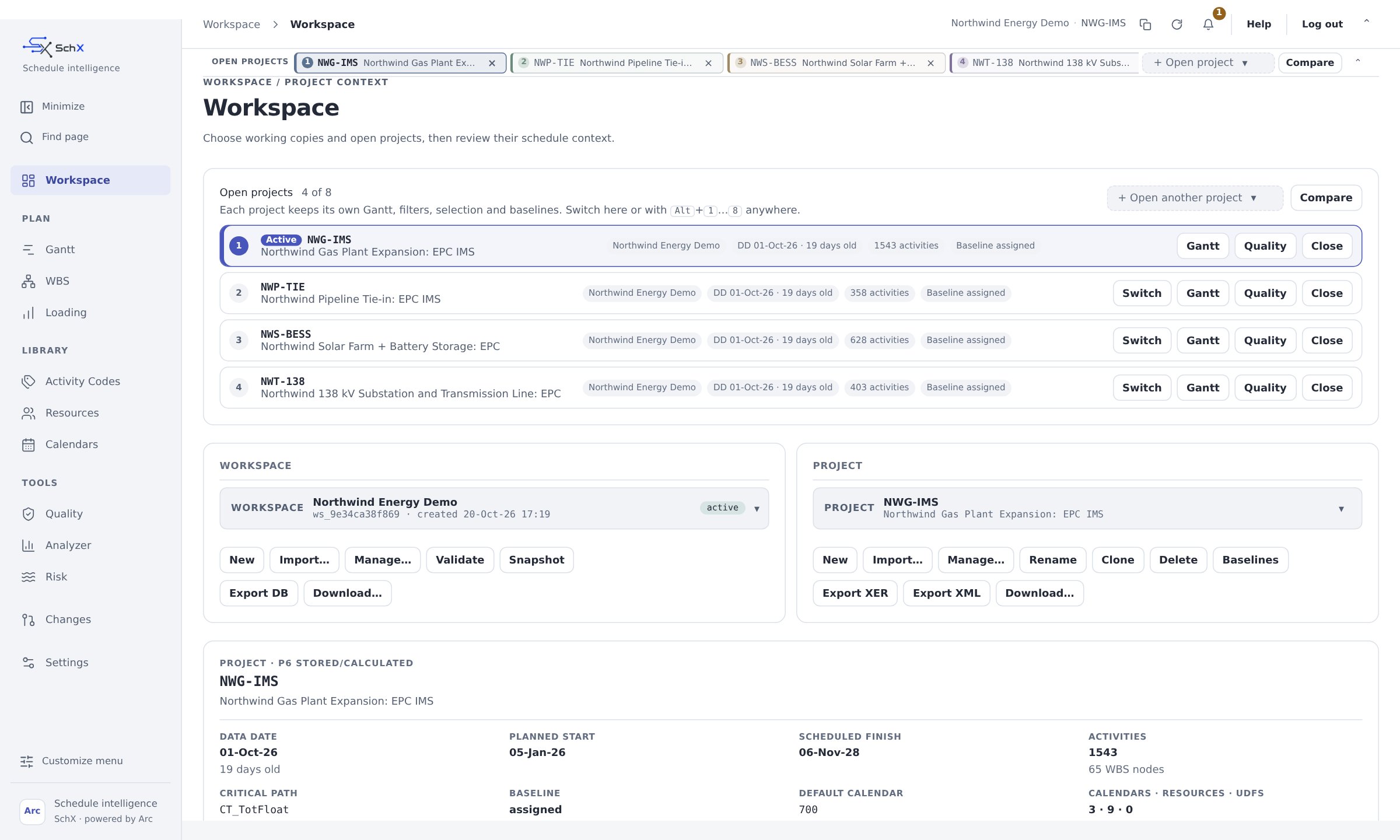
SchX works alongside Primavera P6.
Most teams keep P6 as their system of record. SchX sits next to it and brings the analysis, approvals, risk and AI help together in one place.
It's a hybrid approach. SchX can be deployed with Primavera P6 or without it. That's a matter of choice and comfort for your team, not a requirement.
What P6 keeps doing
- Your enterprise schedule database and EPS
- The file format your clients and contractors expect
- Contractual submissions and baselines of record
- The workflows your organization already runs
What SchX adds on top
- DCMA 14-point, logic and float analysis built in
- Risk models in minutes and Monte Carlo SRA
- Changes staged, approved, logged and reversible, with Surgery for big restructures
- An assistant that answers and drafts but never changes a number on its own
- Live collaboration, and SchX on iPhone with voice
- Every value labeled with where it came from
With P6 or without it
Deploy SchX the way your team is most comfortable.
With Primavera P6
Keep P6 as your system of record. SchX takes schedules in from P6, adds the analysis, approvals, risk and AI help, and sends checked files back.
Without Primavera P6
Run SchX on its own. Arc schedules the project, and SchX holds the plan, every change and the reports in one place.
You can start alongside P6 and move to SchX on its own whenever you're ready, or work both ways for as long as it suits you.
How the two work together
- 1
Export from P6
XER, P6 XML or the P6 database, exactly as you use it today.
- 2
Work in SchX
Check it, analyze it, model the risk and stage your changes.
- 3
Approve
A planner reviews and approves every change before it goes in.
- 4
Back to P6
Import the checked file into P6 with its logic, codes and dates.
Questions to ask
The questions planning teams ask us.
Before you trust any tool with your schedule, these are worth asking. Here are our answers.
How are dates calculated?
By Arc, the scheduling engine built into SchX. There's no sandbox, code interpreter or extra VM involved.
Will I get the same answer twice?
Yes, to the minute. The same schedule always gives the same dates.
Where does my schedule go?
It stays in your environment. SchX deploys privately, and its AI can run on private models, so schedule data never goes to a public AI service.
Can the AI change my schedule?
No. It can only stage suggestions for a person to review. The server refuses anything else.
What if some data isn't loaded?
Every check that can run, runs. The ones that need more data say exactly what they need.
Does it work without AI?
Yes. Scheduling, analysis, risk and reports all work with AI switched off.
Can I see every change?
Yes. Every change is staged, approved, logged and can be undone.
How big can schedules get?
In a benchmark on a 4 vCPU virtual server, the CPM pass on a synthetic 100,000-activity network took about 2.3 seconds.
Does it fit our P6 setup?
SchX reads and writes the P6 database, XER and P6 XML with your logic, codes and dates, and the import report lists anything it could not carry over.
Proof
The evidence behind every claim.
| Claim | Evidence |
|---|---|
| 100,000 activities scheduled in about 2.3 s | Engine benchmark on a 4 vCPU virtual server: synthetic layered network, CPM pass only (about 4.3 s including loading the network) |
| Same dates as P6 F9 | Field-by-field comparison with native P6 F9 runs on reference projects, see the Arc section |
| Zero regressions across 249 project data sets | Regression testing at the last engine sign-off |
| Gantt charts of up to 25,000 activities open in about a second and scroll at about 60 fps | Browser render tests on recorded schedule data, not including network time |
| The assistant can't write | Server-side enforcement and security tests |
Oracle, Primavera and P6 are trademarks of Oracle and/or its affiliates. SchX is independent and is not affiliated with Oracle.